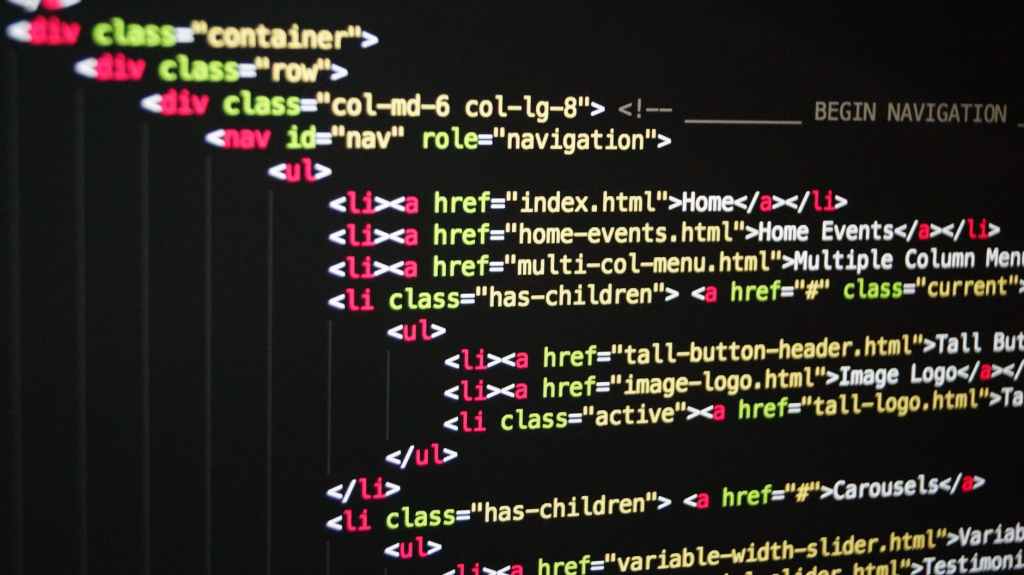
HTML means hypertext markup language.
HTML is a computer language that makes up all the websites although it is not considered a programming because it can’t create dynamic functionality but it is used in creating paragraphs,tables,links using element and attribute tags.
Uses of html
As we said earlier html is Used as the backbone of many web pages
1. Web development: HTML is the major code and backbone to every web page. All website or page has a set of HTML tags , element or hyperlink which are used for connecting to other webpages or site.
2. Cutting edge feature: html 5 which is the latest version of HTML is used to introduce some of latest in website development. Browsers like google crome is the perfect choice when its comes to implementing HTML 5 latest set of APIs.
3.Internet navigation: using HTML is possible by utilizing the concept of the hypertext( it refers to other webpages or text ) A user can easily move between webpages and website even those located on a different servers.
4. Game development: before the introduction of HTML 5 game development was done with flash and silver light. But HTML 5 can bring the reality of game development possible
Linking of CSS to HTML
HTML as we all know is the fundermental of all webpages but with html alone this webpages would not look as presentable as it appears we need another set of programing language to create it styles and functionalities. The CSS Cascading Style Sheet is used to style our html page and make it come to life that is why our text can either be red or blue, it also help with the background type and color e.t.c. but how do we link the CSS with our html this is quite simple through the following ways.
1. Adding the CSS to the html tags: when creating a small website most web developers add simple styles to the tags of the Html e.g < body color: red; >
2. Adding CSS to the html workspace: adding the CSS to the html workspace is diffrent from adding it to the html tags. when adding CSS to an html workspace, we use the style element which can be located at the header of the html code
3.Creating a diffrent workspace: when working with a website that has much content it is best to create a diffrent workspace for your CSS in order to have a clean html code. After writing your CSS code you have to link it with your html code so as to make the CSS shown.
EVOLUTION OF HTML
HTML was first presented by Tim Berners-Lee, the creator of the World Wide Web, in 1989. Berners-Lee originally created the Web to allow physicists to collaborate and share their work with each other. Unbeknownst to him at this time, the Web would become one of the biggest tools in which people use to share information.
“This is a surprising place indeed for the beginnings of a technology which would, eventually, deliver everything from tourist information, online shopping and advertisements, financial data, weather forecasts and much more to your personal computer.” (W3.org, 1998)
Click here to view the world’s first webpage.
HTML 1.0
HTML 1.0 was the first version of HTML, used from 1989 to 1994. It was a very limited version and included only 20 elements. There wasn’t much that could be done with it and therefore most webpages ended up looking very similar due to the inability to do things such as; alter the page background, determine fonts and use tables and forms.
HTML 2.0
Created in 1995, this version was a significant improvement to HTML 1.0. “HTML 2.0 becomes the first official set of standards for HTML — the base standard by which all browsers were measured until HTML 3.2.” (Bartels, 2011). It was able to support the changing of a page background, text colour, text face, the use of tables and text boxes etc. It was around this time that W3C (The World Wide Web Consortium) was created — an organisation which develops web standards. HTML 2.0 also started to support more browsers.

Problems for browsers
After the creation of HTML 2.0, people started wanting to do more with HTML. A company called Netscape had a browser called ‘Netscape Navigator’, the leading browser during this time, and they began to introduce new abilities called ‘Netscape extension tags’. Other browsers tried to recreate these tags to keep up with the current trends, however they were unable to get them to display in the same way. This meant that pages which were created using Netscape extension tags ended up looking bad in other browsers.
HTML 3.2
In January 1997 HTML 3.2 was endorsed by the W3 Consortium and approved of by many, including significant browsers such as Netscape and Microsoft. “HTML 3.2 included tables, applets, text flow around images, subscripts and superscripts.” (W3.org, 1998)
HTML 4.01

This version of HTML, created in 1999, included cascading style sheets (css) which allowed aspects such as text, colour, font and backgrounds to be easily altered. Instead of these aspects being included directly within the webpage, they are now separated, making it much more trouble-free.
HTML 5
HTML 5 is the current version of HTML which is used. “We’ve come a long way since HTML could barely handle a simple page layout. HTML5 can be used to write web applications that still work when you’re not connected to the net; to tell websites where you are physically located; to handle high definition video; and to deliver extraordinary graphics.” (Marshall, 2017). HTML 5 continues to evolve and is supported by all of the biggest browsers such as Firefox, Chrome, Safari, Internet Explorer, Opera and Edge.
HTML has come very far since the first version (HTML 1.0), which only offered simple features meaning most webpages looked very similar. Since then the W3 Consortium has been established, css has been created, more features are supported by browsers and in general, more can be done with HTML. This means there’s less confusion, universal standards and ease of use. HTML is constantly progressing and changing — in a few decades, we can expect that HTML will have advanced even further.
 frankfon